Over two years, I led the evolution of Journey Analytics from a low-adoption beta into a scalable platform. 50% of Enterprise users said they wouldn’t use it unless it ran automatically, so I anchored our strategy on automation and shipped features that generated key parts of the report with minimal input. I partnered with adjacent teams to ship integrations that brought automated journey insights into other parts of HubSpot. After our beta period ended, I redesigned the report builder for scale and future product growth.
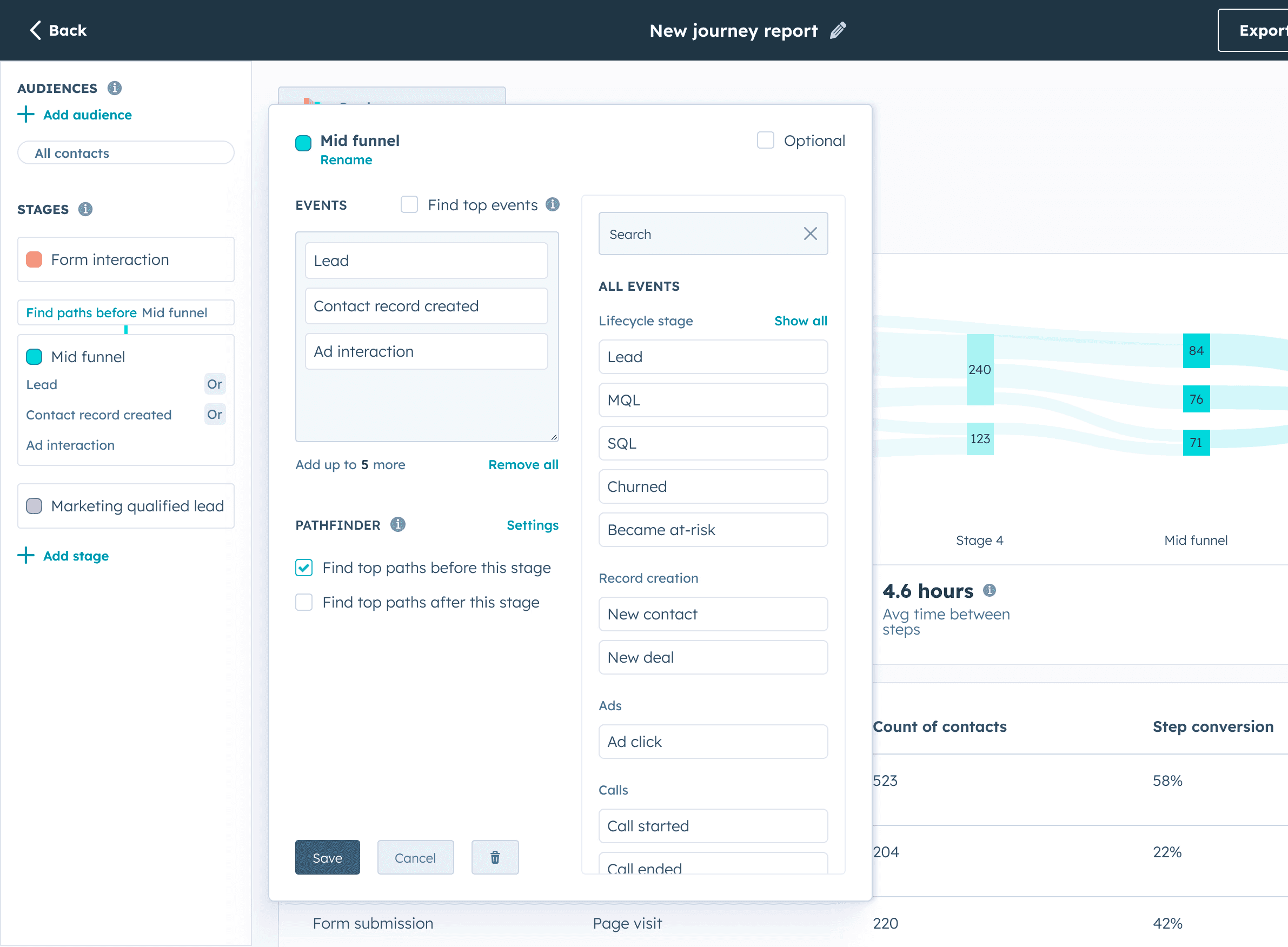
Journey Analytics launched as a promising beta that wasn't achieving real adoption
What I did
Shipped a steady cadence of high-impact improvements to close core feature gaps and provide immediate customer value while we worked toward a 2 year redesign
Partnered with my PM to anchor our product strategy on automation (Pathfinder), prioritizing features that generated report insights with minimal manual setup
Delivered new out-of-the-box reporting tools to unlock broader adoption and support the public beta launch of an adjacent tool, Marketing Analytics Suite
Led cross-team partnerships to embed Journey insights into adjacent HubSpot surfaces and expand distribution
What changed
Activation/adoption of Journey Analytics increased (54% → 62%)
Monthly report runs grew from 40,000 → 76,000
Journey Analytics shifted from a fragile beta into a stable, scalable analytics platform built for automation
Journey insights expanded beyond a single builder via integrations across adjacent HubSpot apps
Addressable enterprise audience expanded 2× after automation became the default path
Journeys started as a beta but needed to evolve to meet user expectations
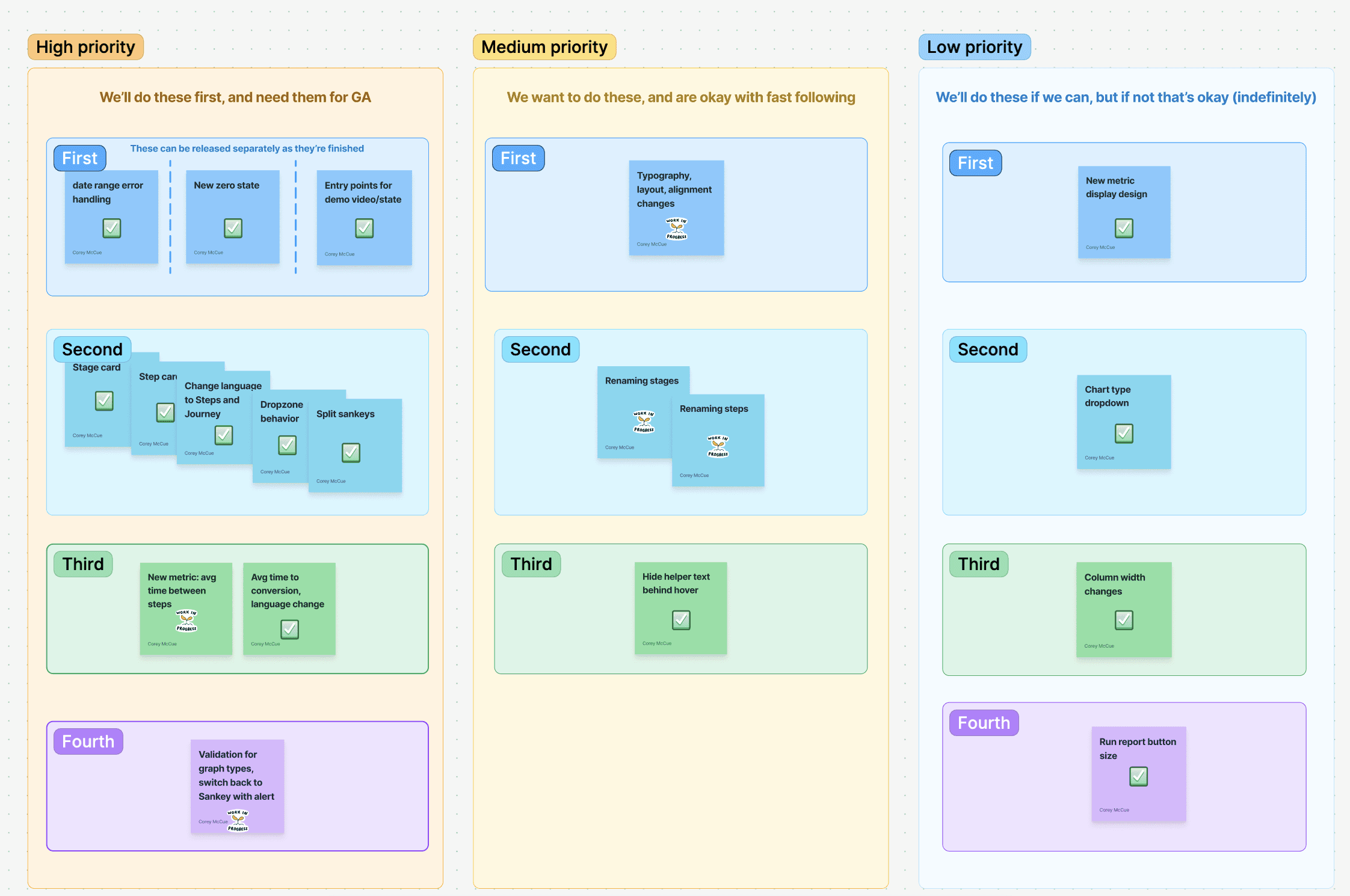
Early feedback showed that the product had critical feature gaps and usability issues. To get journeys ready for general availability, I drafted a set of high-confidence improvements sequenced into phases to guide engineering.
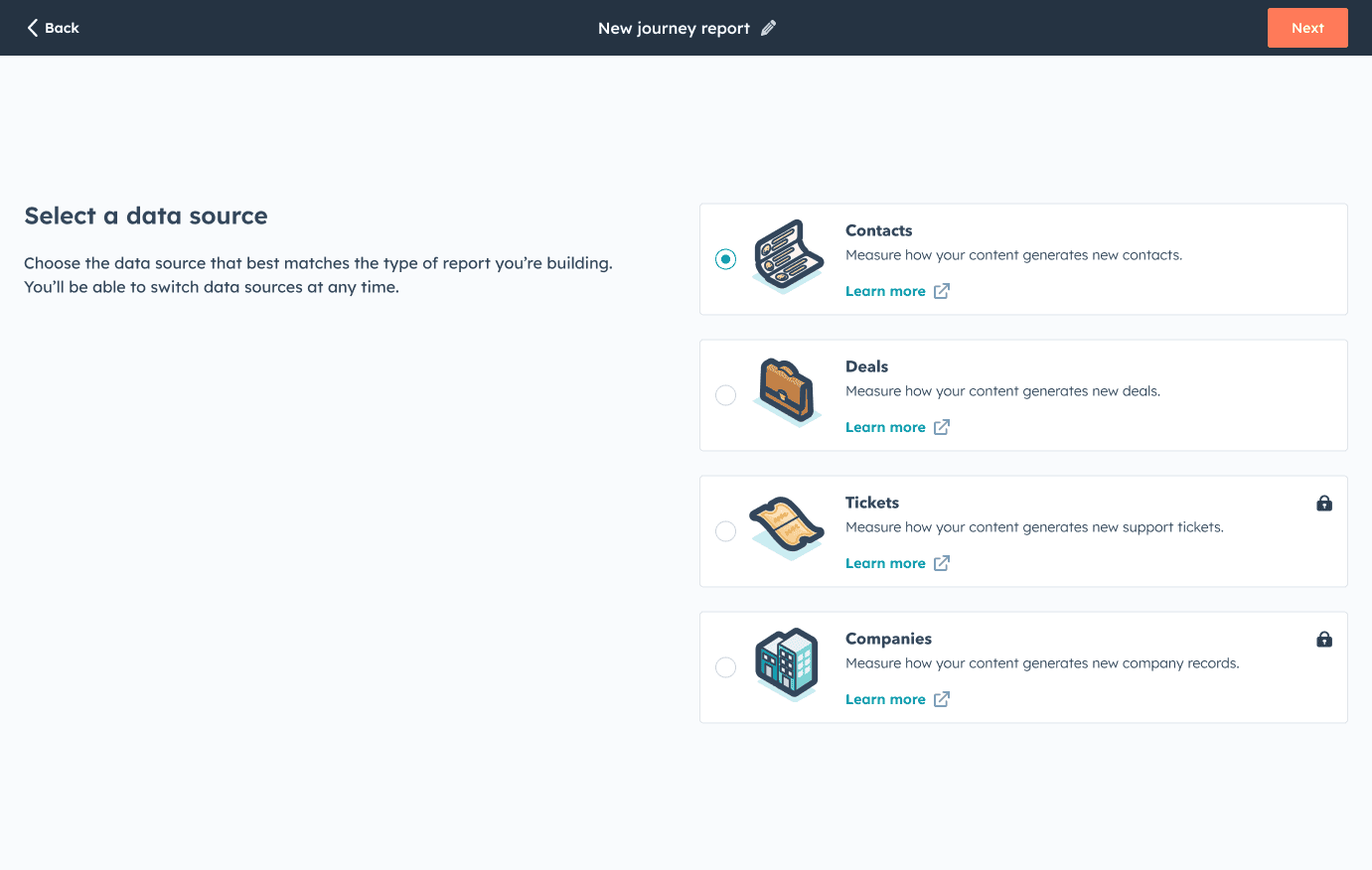
We had a high early bounce rate
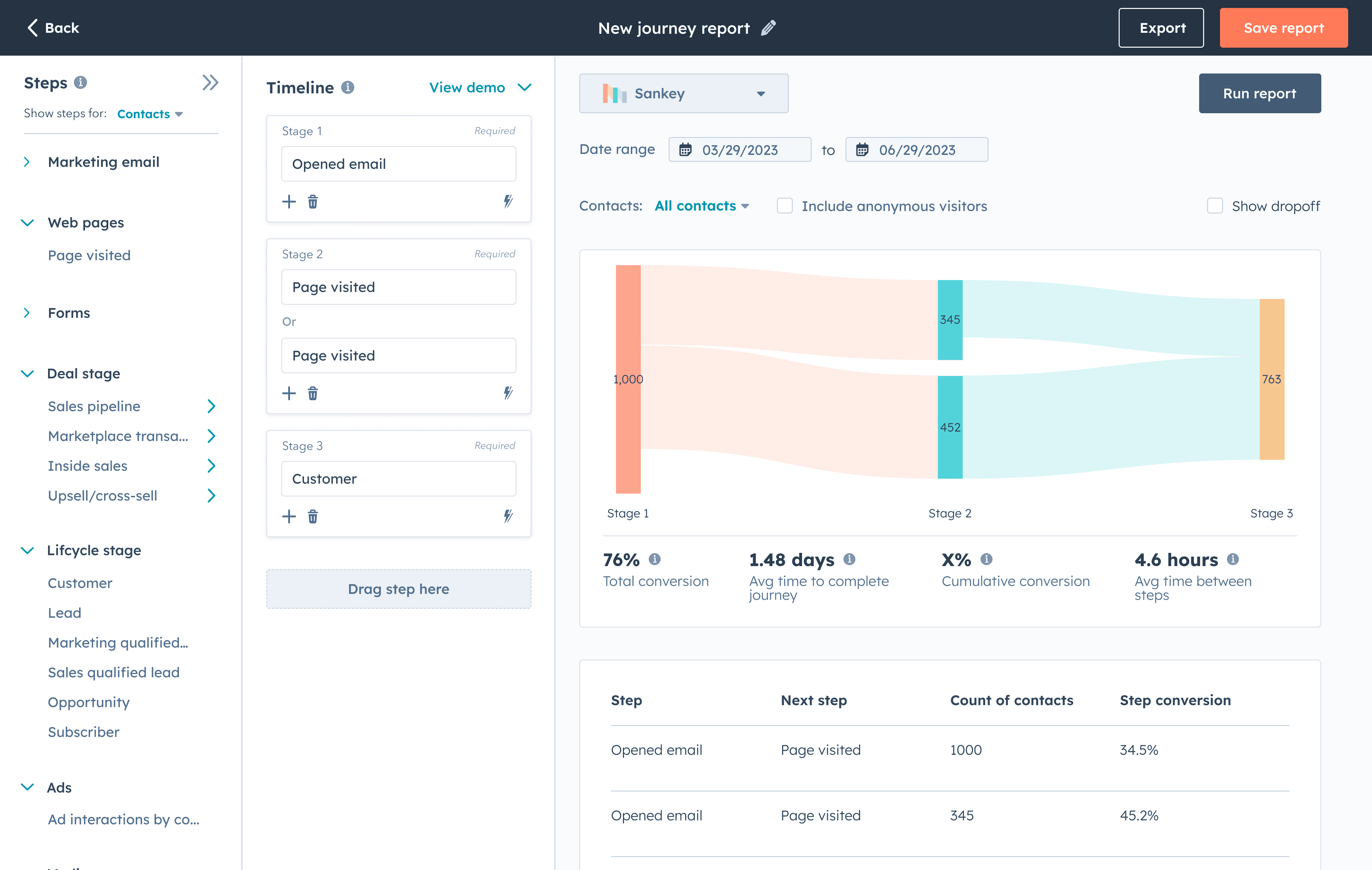
Users were creating and deleting reports without much engagement. Fullstory recordings showed that users were restarting because they had chosen the wrong object to work with. I redesigned the entry flow to guide users to the right data source the first time, shortening time to value.
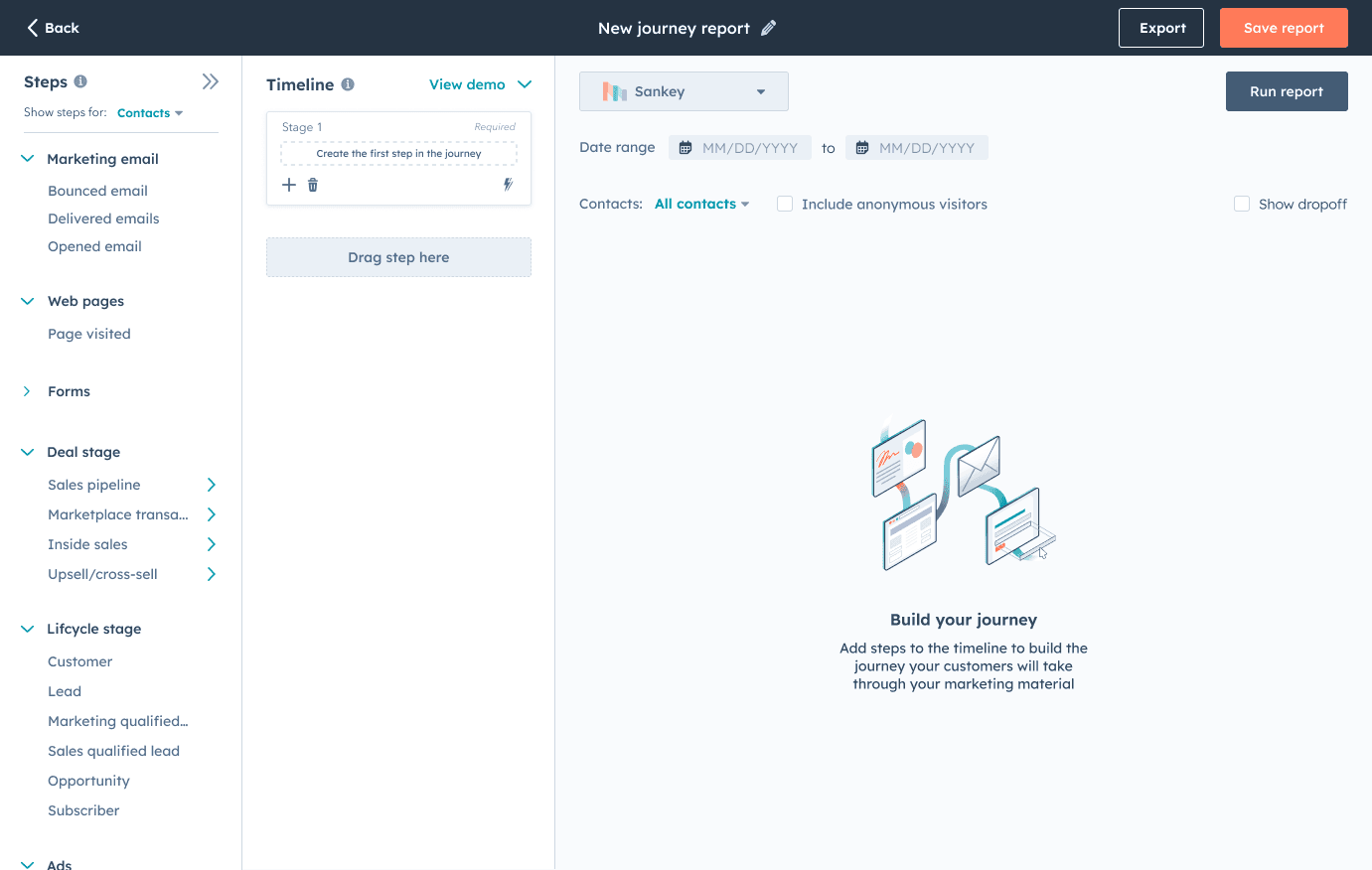
Getting started in the report builder was too difficult
Users were getting lost in the report builder because there was too much information and too little guidance. To get people moving, I designed a set of changes to the entry flow and the report builder UI:
• Collapsible sections in the side panel
• Simpler language that explained the product more clearly (“Events” → “Timeline”)
• A zero-state graphic that framed what users should be doing with the builder
Journey Analytics entered general availability
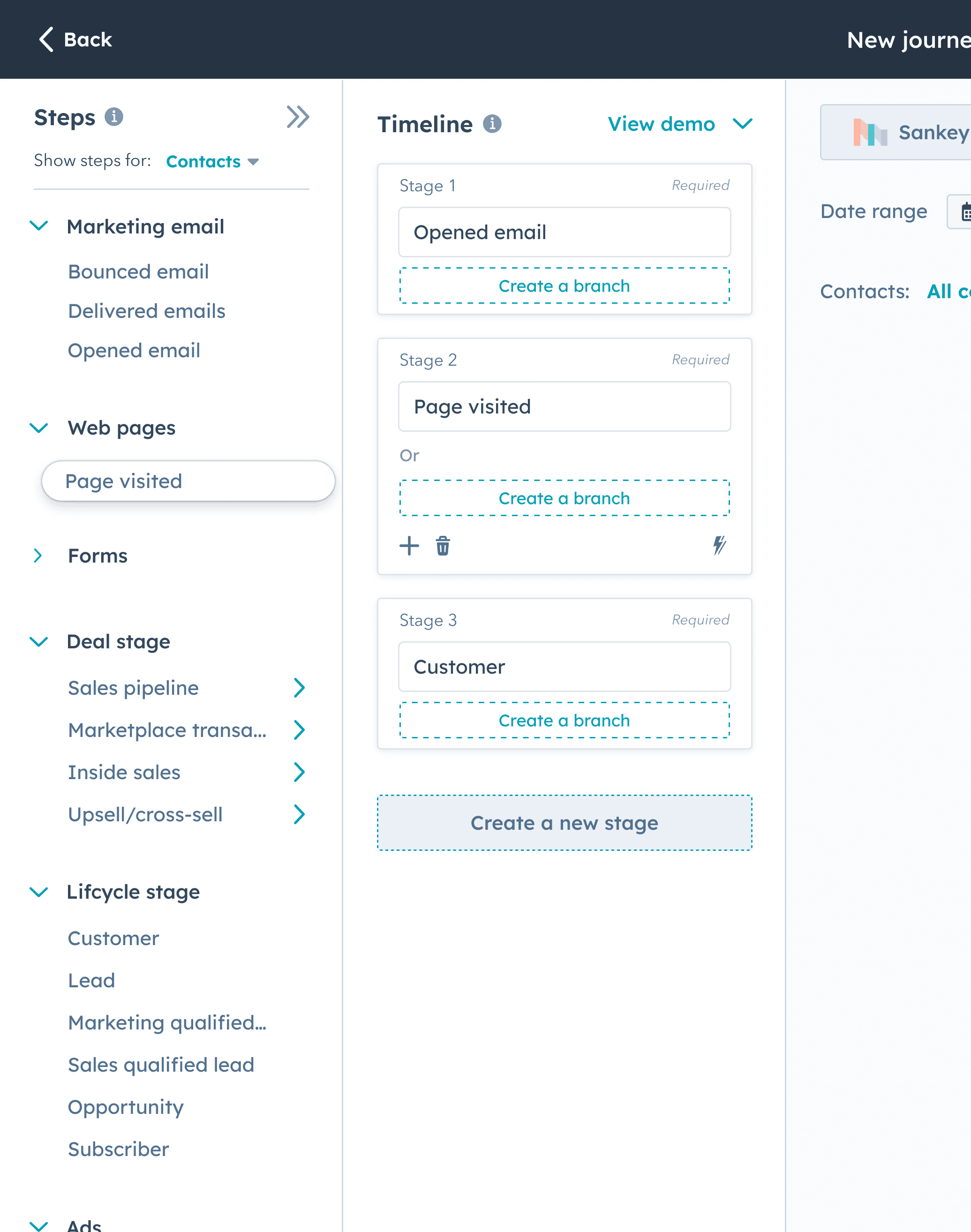
After resolving an initial set of issues and blockers, I focused on the primary barrier to general adoption. Journeys could only model basic, linear reports and that was a critical gap we needed to close. I designed an easy-to-use branching experience so that our reports could address more complex use cases.
Then, we started building toward our vision for report automation — Pathfinder
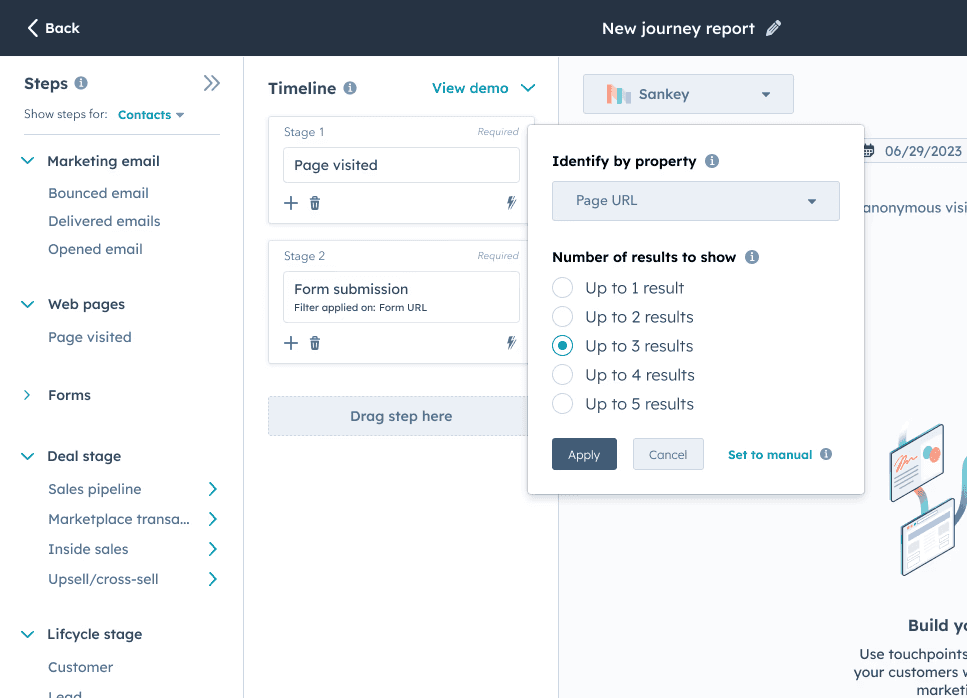
We weren't getting traction with enterprise users because they needed a tool that would tell them what they didn't already know. Adoption stalled at about 50% and to unlock the remaining audience of enterprise users, we built a feature called property breakdowns.
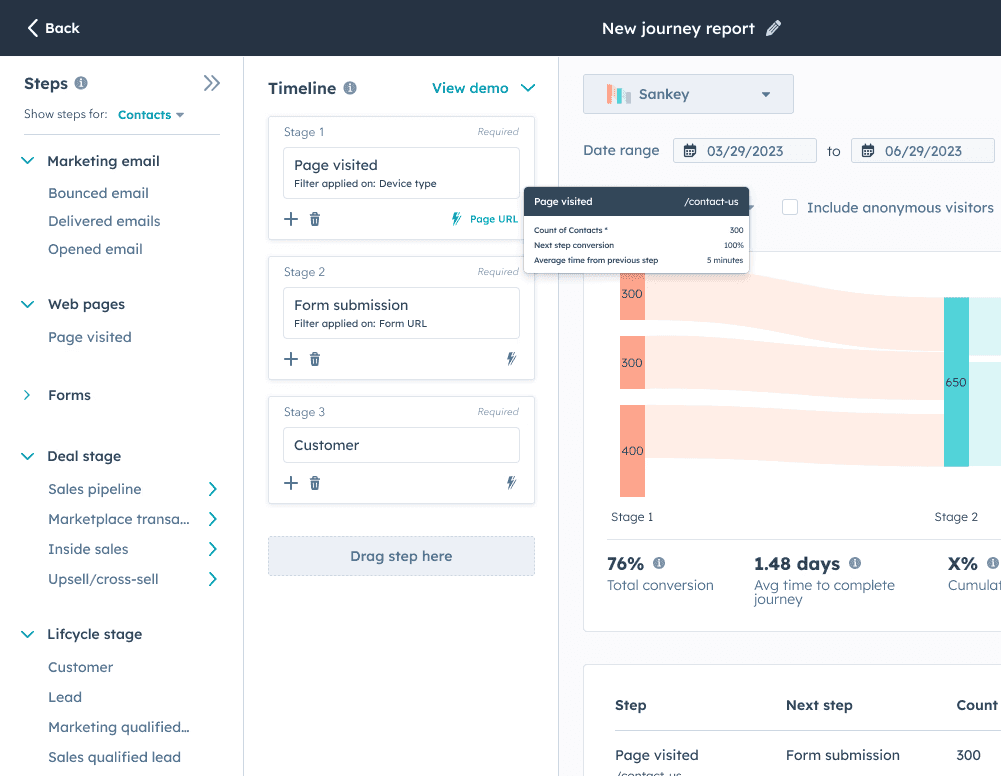
Users could specify which event they cared about and Journeys would search for matches. We used what we learned from building property breakdowns to inform how we built even more advanced automation down the road.
Over 2 years, my team shipped impactful short-term features while I worked in parallel to define the Pathfinder vision
We started by building branched journeys, property breakdowns, and a handful of other features that would fit into our current UI. Our team was able to consistently deliver impactful work while I explored an ambitious redesign on the side.
I tested the redesigned report builder with about 50 users and worked through several major iterations. Once the Pathfinder backend was ready, I drafted a build plan for engineering so we could keep momentum high as we migrated to the new builder.
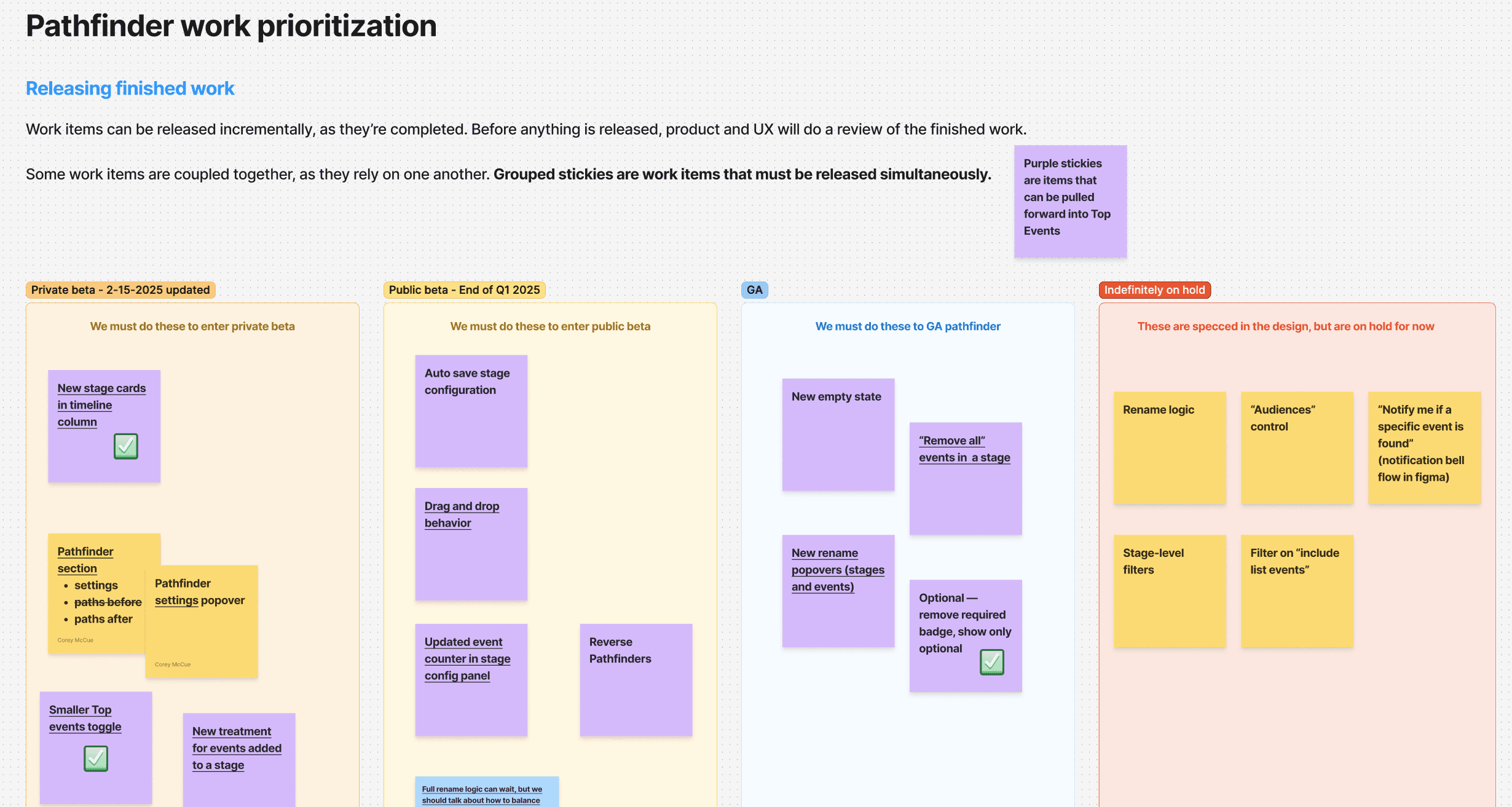
Pathfinder insights were too valuable to be siloed in a report builder
I drove partnerships with adjacent teams to build integrations that embedded Pathfinder reports and insights into other apps across HubSpot.
Because the backend finished well ahead of the frontend, we were able to power these integrations before our own UI was ready. The integrations gave us early signal on usage and let us dial in the backend ahead of the Pathfinder frontend rollout.
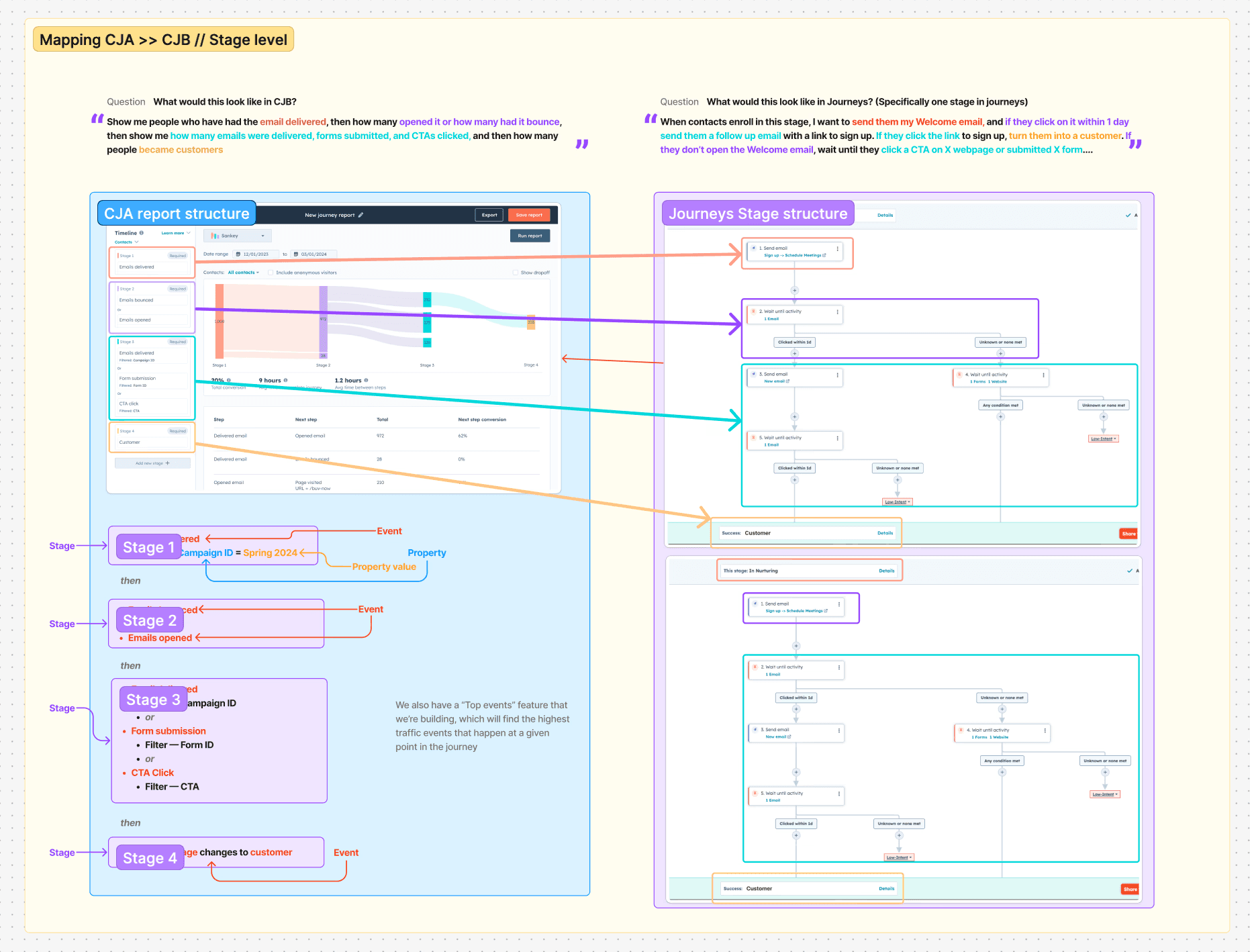
Led by design, our team was able to transform an early beta in a robust analytics app
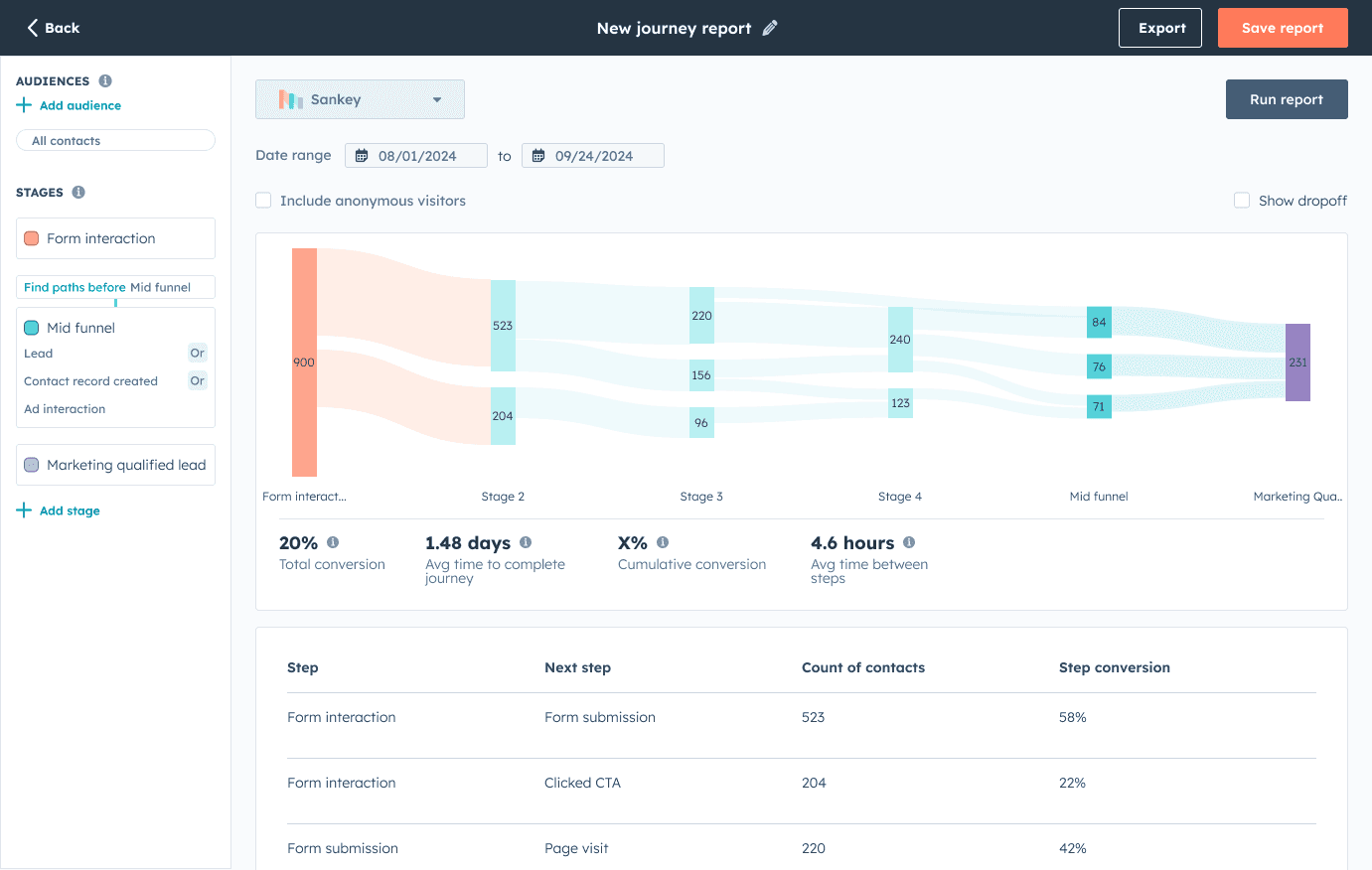
The new report builder was easier to use and unlocked the remaining 50% of enterprise users who were holding out for automated reporting.
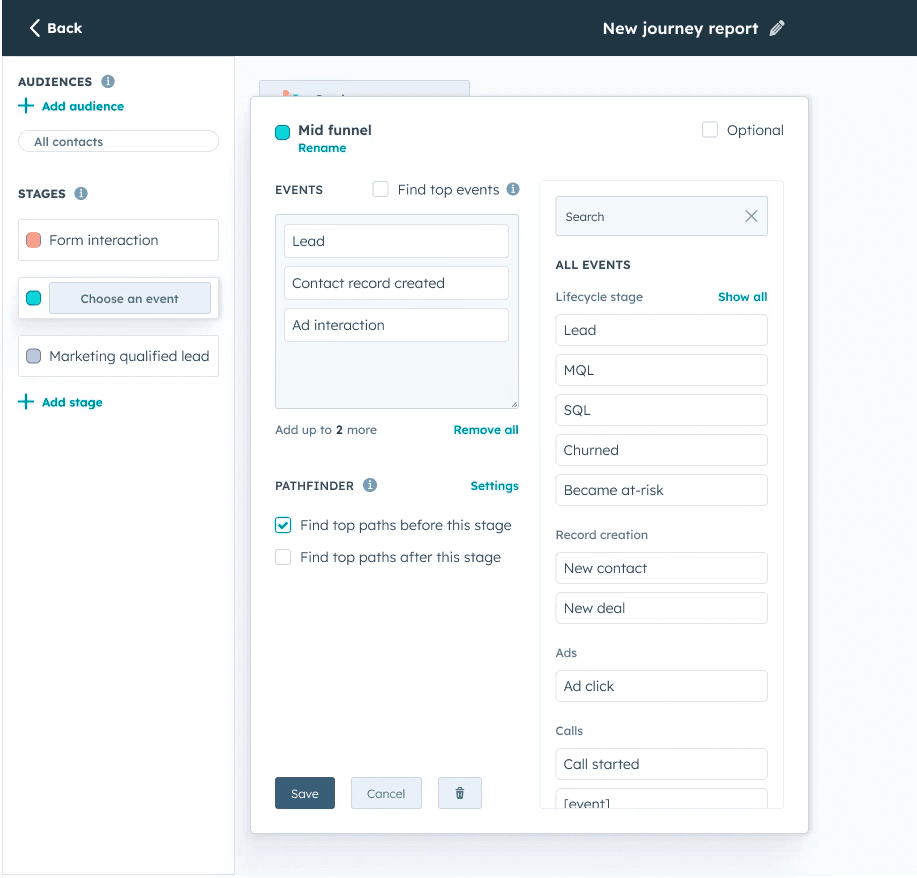
With Pathfinder, users were able to define their desired outcome or starting point and the app would show them what contacts who doing along the way.
Controls moved into floating surfaces so they could appear when needed and then get out of the way. The focus on modularity let me layer in complex controls without overwhelming users. It also gave the team a canvas for continued feature development in the future.
Outcomes & reflections
Over a 2 year period, I led my team in turning a scrappy beta into a robust, scalable product that we could build on for years to come. We doubled our addressable Enterprise audience, replaced our beta report builder with one that supported automation, increased tool activation/adoption 54% -> 62%, and shipped impactful integrations with adjacent apps across HubSpot.